RISC-V with the CH32V003 — A Refined Win10/11 Toolchain, No PowerShell Required
Where jMiniNEC above is decades-old BASIC ported faithfully into modern Java, this is the opposite kind of project: brand-new silicon. The chip is WCH's CH32V003 — a 32-bit RISC-V microcontroller that costs pennies — and it's fully supported by an open-source toolchain: no vendor IDE, no licence dance, no "community edition" nag screens. Just GCC, Make, and a USB debug probe called the WCH-LinkE. The goal of this article is getting from an unboxed WCH-LinkE to a one-click build-and-flash workflow inside an editor you may already use for other chips, with as little Windows friction along the way as I could manage.
What You Need
- A CH32V003-based board. Mine is a generic "CR-CH32VXX" clone board — any CH32V003F4P6 board wired out to a header will do.
- A WCH-LinkE USB programmer/debugger (a few dollars from the usual overseas sellers) — WCH's own debug probe, and the cheapest way to talk RISC-V SWD to one of these chips.
- A Windows 10 or 11 PC. Everything here was done on plain Windows 10 Pro.
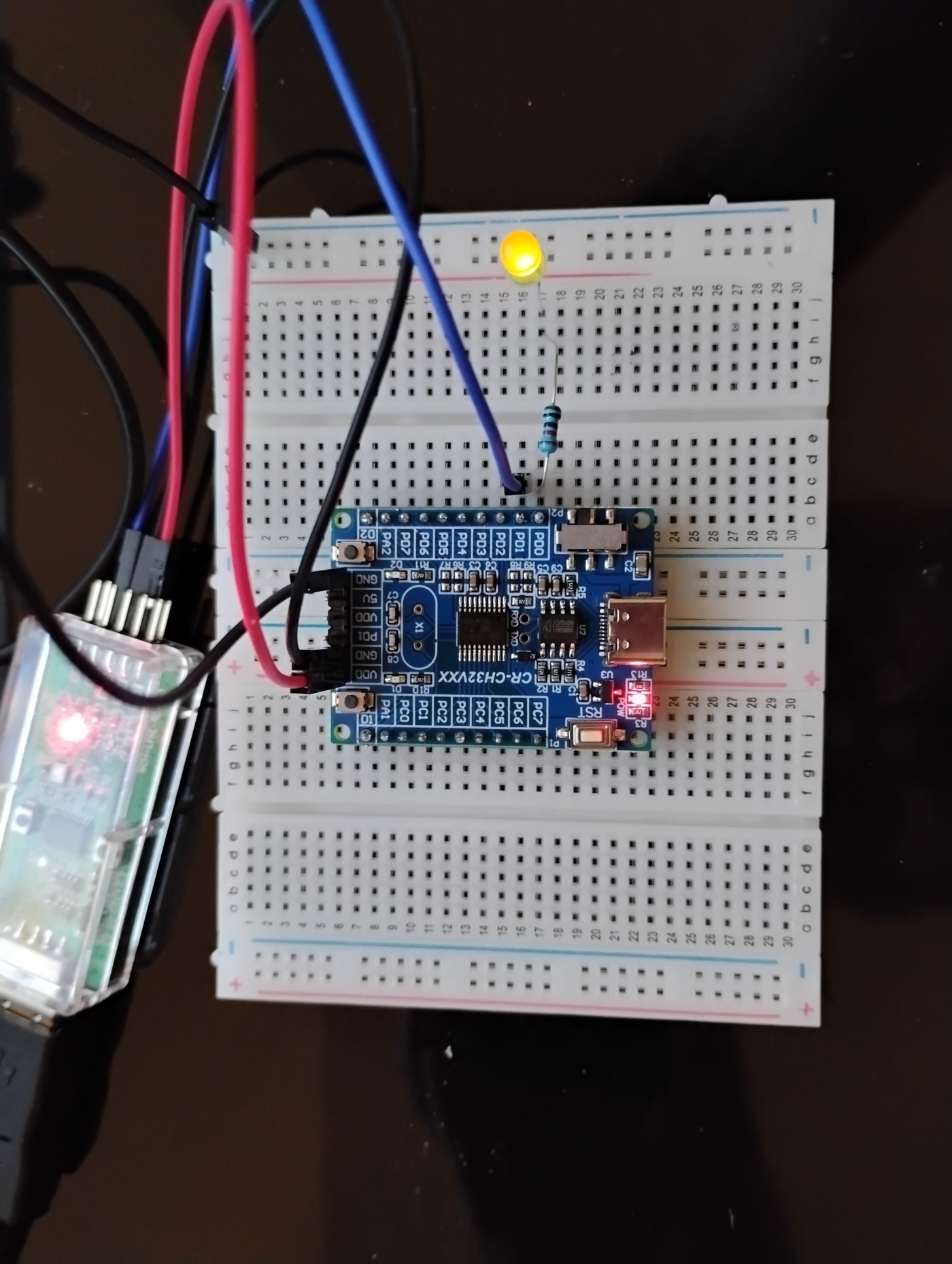
- Optional: a breadboard, an LED and a resistor, for a visual "it's alive" check independent of any log output.
- Optional: Geany, if you already use it for something else (I use it for 8051/SDCC work and didn't want this to disturb that setup at all — more on that below).
The Package
Everything drops into two folders side by side: CH32_SDK (register headers, linker scripts,
Makefiles, and a full set of runnable examples for every WCH CH32V-family chip) and
WCH_CH32V003_programmer (the USB flashing/debugging tool itself, plus a small setup helper that
installs both the Windows driver and the RISC-V GCC toolchain — no PowerShell scripts, no separate downloads).

Wiring It Up
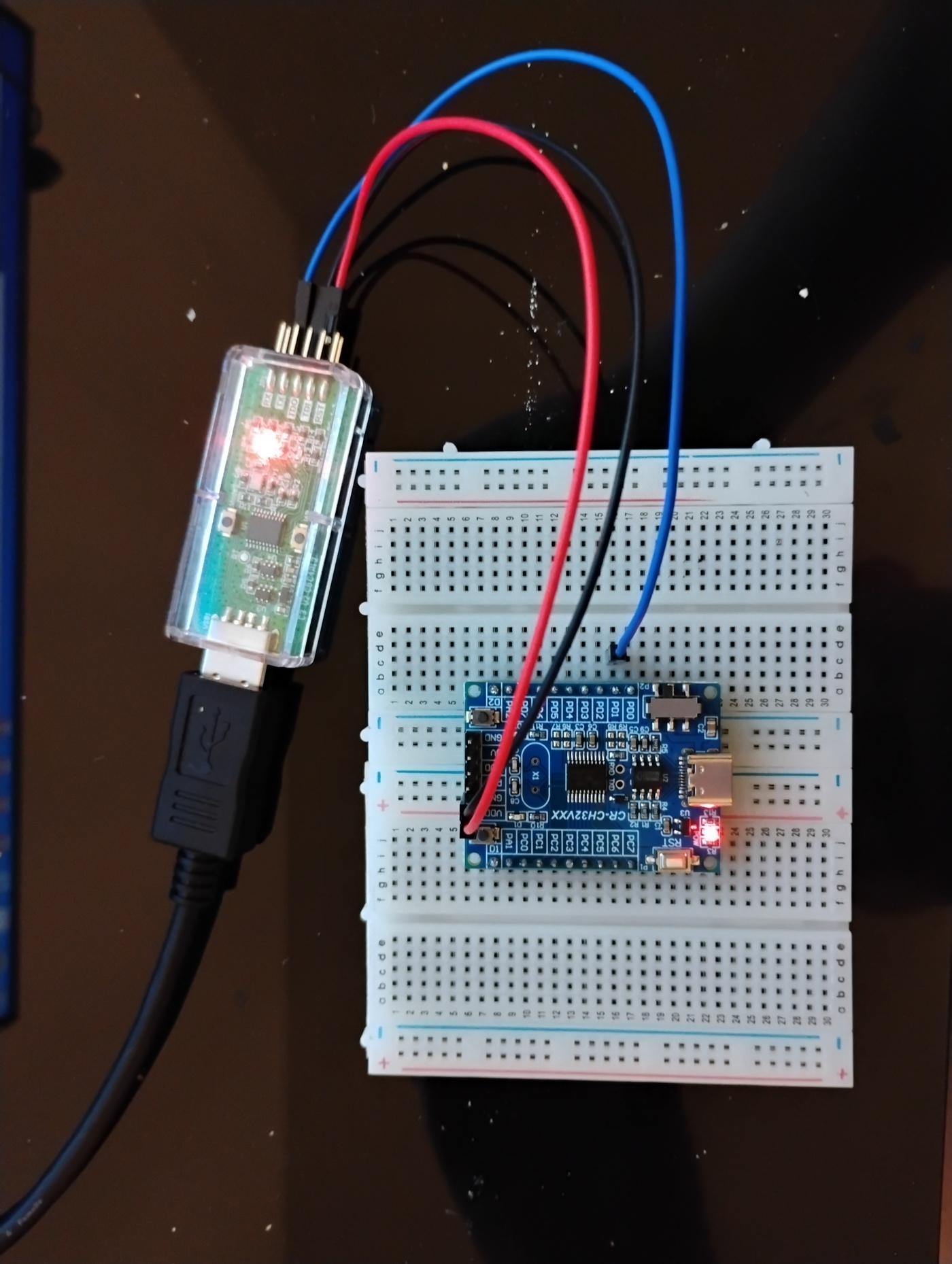
The WCH-LinkE talks to the CH32V003 over a single-wire debug protocol on pin PD1. Three wires do
the whole job — power, ground, and PD1 (SWIO) — no separate clock line needed in 1-wire mode.
Windows and the Unsigned-Driver Problem
Here's the one genuinely annoying part of Windows and RISC-V debug probes: by default, recent Windows 10/11 builds refuse to install an unsigned WinUSB driver, which is exactly the kind of driver a cheap debug probe like the WCH-LinkE needs. Run a driver installer manually on a locked-down machine and it's easy to hit a wall.
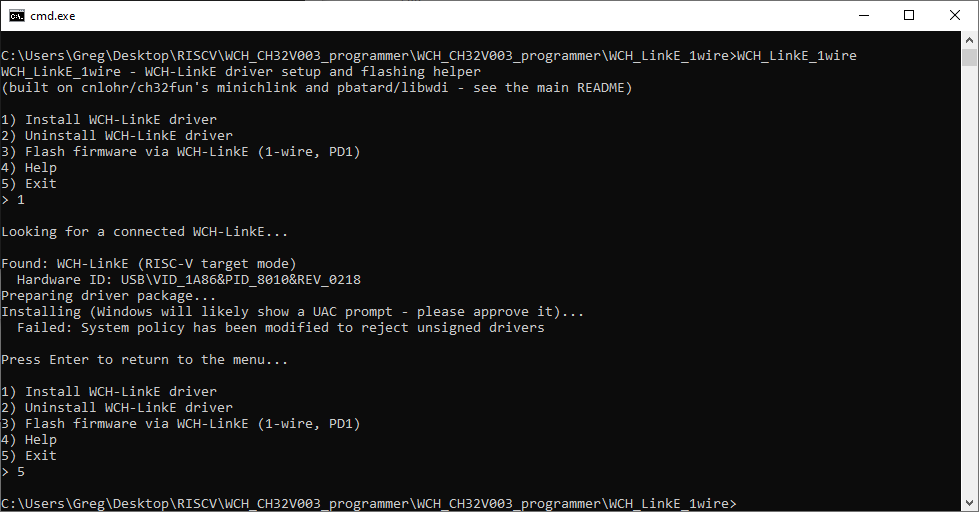
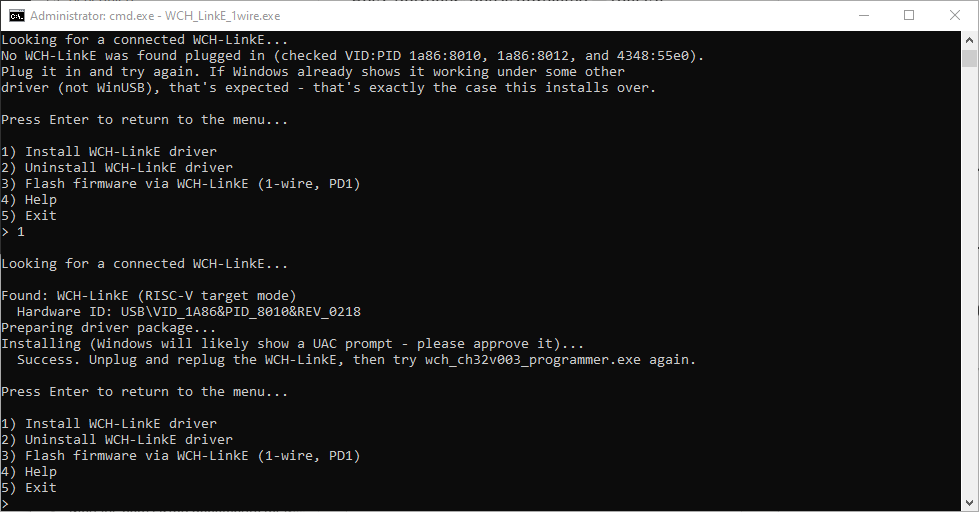
The fix is a one-time Windows driver-signing policy change, and the bundled setup tool now does it for you.
Open WCH_CH32V003_setup.exe (it asks for administrator rights — expected, driver installation always
needs them) and choose "Install WCH-LinkE driver." Unplug and replug the probe once so Windows re-enumerates it
under the new driver, and it's done for good, on that machine.
Proving the Programmer Can See the Chip
Before installing anything else, it's worth confirming the WCH-LinkE and the CH32V003 are actually talking:
wch_ch32v003_programmer.exe

Found WCH Link
WCH Programmer is LinkE version 2.18
Detected CH32V003
Flash Storage: 16 kB
Part UUID: 1d-ff-ab-cd-86-14-bc-48
Part Type: 00-30-05-00
Read protection: disabled
Interface Setup
That's a real conversation with the chip — exact silicon, flash size, unique part UUID, and read-protection state. If you see this, the hard part is over.
Bundling the Toolchain Instead of Downloading It
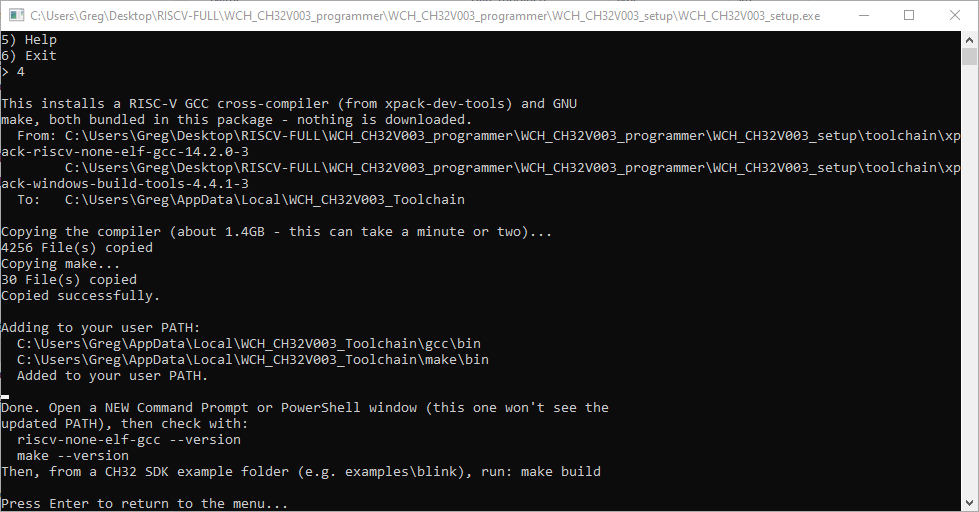
This is the part I actually set out to fix. The old approach was a PowerShell script that pulled GCC from a
third-party mirror at install time — and mirrors go down, get deprecated, or get blocked by a company firewall.
Nothing to download here: the full Windows build of xpack-riscv-none-elf-gcc (GCC 14.2.0) and a
small make/busybox bundle ship inside the package already.
Building and Flashing From the Command Line
With the toolchain on PATH, building a real example from CH32_SDK is one command:
cd CH32_SDK\examples\blink
make build

Memory region     Used Size  Region Size  %age Used
  FLASH:               688 B      16 KB      4.20%
  RAM:                   0 B       2 KB      0.00%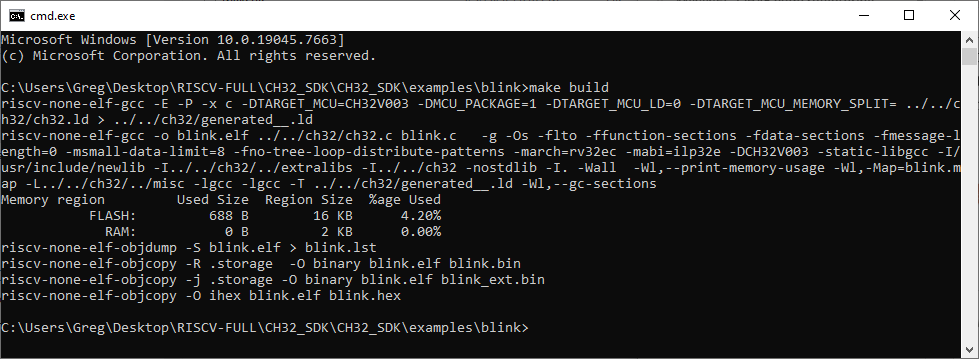
Flashing the result is one more command:
wch_ch32v003_programmer.exe -w blink.bin 0x080000000x08000000 is the CH32V003's flash base address. "Image written" means the chip is now running
your code — if you wired up an LED, it should already be blinking.
Teaching Geany a Second Architecture
Command-line make build and a flash command is already a workable loop. But if you already use
Geany for something else — mine is set up with SDCC for 8051 work — it's worth five minutes wiring RISC-V into
it too, without touching that existing setup.
.c file you
ever open — that's the one place not to touch. Instead, open the RISC-V folder as its own Geany
project, and set build commands at the project level via Project → Properties → Build. Project
settings override the global ones only while that project is open.
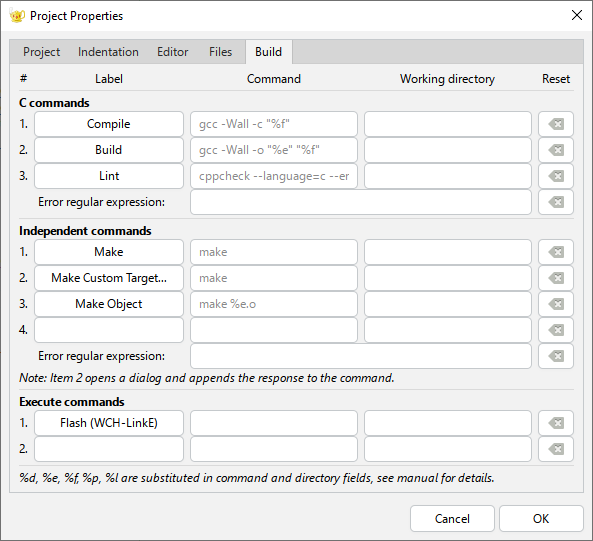
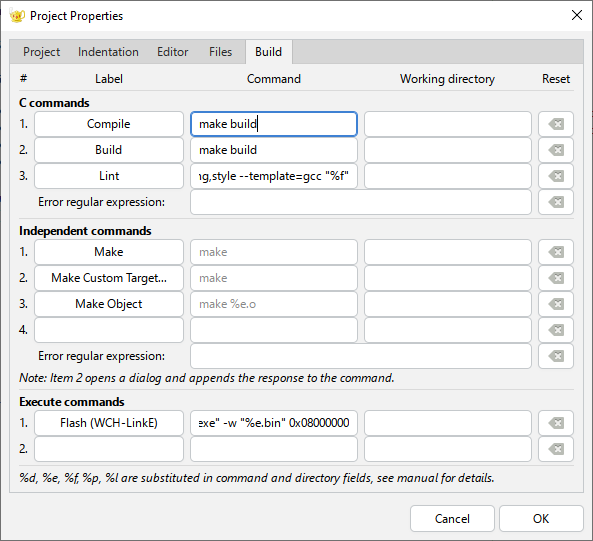
Three fields, typed directly into that dialog: Compile and Build both set to
make build, and an Execute command (I relabelled it "Flash (WCH-LinkE)") set to the
full path of wch_ch32v003_programmer.exe followed by -w "%e.bin" 0x08000000. Geany's
own cppcheck-based Lint stays untouched — it's architecture-agnostic, so there's no reason to.
.geany
project file with the build commands pre-filled, so the whole project could be dropped onto a fresh machine
ready to go. In practice Geany didn't reliably load that section from a hand-written file. Typing the three
commands straight into Project Properties → Build, as above, is the version that always works.
Proof: Watch the LED Change Speed
The real test isn't a clean compile — it's the chip visibly doing something different. With blink.c
open under the RISC-V project, Build then Flash from Geany's own menu runs exactly the same
compile-and-program sequence as the command line did, one click each. For a proof that rules out a stale binary
or a cached build, edit the LED toggle delay to a clearly different value, Build, Flash, and watch the blink rate
actually change. Log messages can lie; a physically faster or slower blink can't.
Wrapping It Up
That's a complete, free, from-scratch path from an unboxed WCH-LinkE to a one-click RISC-V build-and-flash workflow inside an editor you may already use for other architectures — no vendor IDE, no downloads that can rot, and nothing that disturbs a toolchain you've already got set up for other chips. Windows will often refuse an unsigned WinUSB driver by default; bundling the toolchain trades a bit of disk space for something that keeps working regardless of any particular download mirror; and Geany's project-level Build settings are the right tool for adding a second architecture without disturbing an existing editor setup.
The full package — CH32_SDK, the renamed programmer tool, the setup helper, and the bundled RISC-V
toolchain — is available on request.